Skip to content

AI, decoded

How do enterprises let employees use AI agents safely?

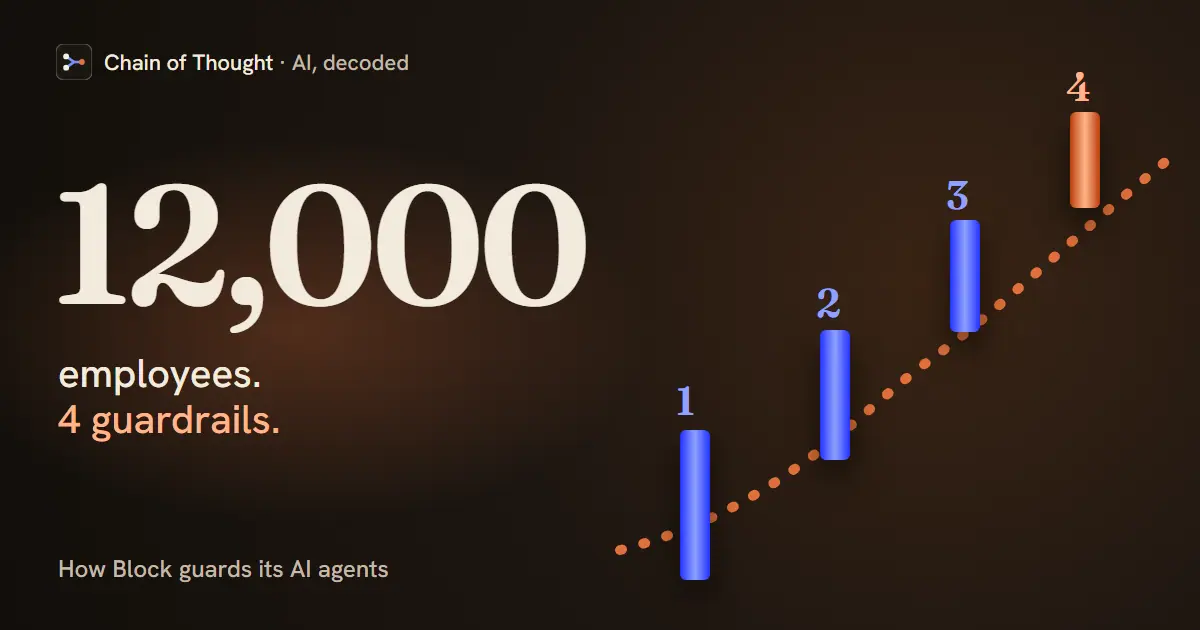
Four guardrails: an allowed list of approved connectors, identity-based authentication, flags on destructive actions, and a human in the loop for anything risky. That is how Block runs AI agents across 12,000 employees at a company handling Square and Cash App. Block's Angie Jones told Chain of Thought that every MCP server on that allowed list, even ones her own team built, goes through a security review first, and most were built in-house.

· Updated · Chain of Thought

Level 3: Leading with AI · 3.5 Guardrails, risk and regulation

MCP (Model Context Protocol)Enterprise AIAI Security

  • 2 episodes
  • 3 guest clips
  • 8 glossary terms
Four checkpoint gates in a row with a green light at the end, beside the words: 12,000 employees. 4 guardrails. Block’s setup, from Angie Jones in episode 48.

In detail

1. An allowed list of connectors

Employees cannot install any MCP server they find on the internet. There is an approved list, and if a connector is not on it, the agent refuses to run it. Getting on the list means a security review first, even for the ones Block builds itself.

2. Identity-based authentication

No more hand-managed API keys and tokens. Block wired the agent into its identity provider, so authenticating into a tool works like the OAuth flow employees already use for Workday. Browser pops up, biometric, done. The protocol supports this directly: the MCP authorization specification is built on OAuth 2.1, so a remote MCP server can rely on the company’s existing sign-in instead of shared secrets.

3. Flags on destructive actions

Tools get annotated for what they can do. Anything that can change, edit, or delete is marked destructive, and the agent is set to ask permission before running one. Non-destructive actions flow; destructive ones stop for a human. MCP has fields for this: a tool can declare hints such as readOnlyHint and destructiveHint. The schema calls them hints, not guarantees of how a tool behaves, and the tools section says clients must treat them as untrusted unless they come from a trusted server. That’s one more reason the allowed list in step 1 comes first.

4. A human in the loop

For the risky steps, a person stays in the decision. The agent surfaces what it wants to do and why, and a human says yes or no. The point is not blanket caution. The human stays on the few actions that actually carry risk.

Why it matters

Most companies are still running pilot programs, and the worry is exactly this: 12,000 people moving fast with AI and something sensitive leaking. Block’s answer is not to lock it down, it is to make the safe path the default one.

Practice the approval decision

Try a fictional agent patch review: the agent changes both the code and a test, and you can inspect two pieces of evidence before choosing a limited release or a hold. The exercise asks what a human needs to check before authorizing deployment. The incident and its outcomes are authored fiction from Chain of Thought.

Four guardrails for letting a whole company use AI agents An employee's agent passes four checkpoints on the way to a tool. One: an allowed list of connectors; one that is not on the list is refused, and getting on the list takes a security review, even for connectors Block built itself. Two: authentication through the company identity provider, an OAuth flow like the one employees use for Workday, with the browser popping up and a biometric check, instead of API keys and tokens. Then the tool call forks. Non-destructive tools run. Three: tools that can change, edit or delete are flagged destructive. Four: for those, the agent explains what it wants to do and why, and a human says yes or no. The rule underneath: make the safe path the default, which is how Block, maker of Square and Cash App, runs agents for 12,000 employees. Make the safe path the default one Four checkpoints between an employee’s agent and a real tool. Destructive actions stop for a person. employee any team 1 sign in via identity provider 2 the agent unlisted connector: “nope, can’t install” non-destructive tool → runs 3 · destructive tool, flagged it can change, edit or delete 4 · a human says yes or no the agent asks permission first, and explains what it wants to do and why 1 · allowed list: security reviews every connector first, even ones Block built itself. 2 · real auth: the OAuth flow, like Workday’s. Browser pops up, biometric, no loose API keys. Not a lockdown. Non-destructive work flows; destructive actions stop. How Block, the company behind Square and Cash App, runs AI agents across 12,000 employees. Angie Jones, ep 48: “if it’s not on that allowed list, you cannot use” it. Familiar beats clever: the sign-in employees already know is the one the agent uses.
Make the safe path the default: non-destructive work flows and destructive actions stop for a person. Block’s setup for its 12,000 employees, from Angie Jones in episode 48. Download the image

Hear it from the guest

“And so if it's not on that allowed list, you cannot use like it will not work. The agent will say nope. Can't install it.”
Watch on YouTube
“Agent, you're allowed to run any tools that are not destructive. But if you run into one, that is, you need to ask my permission first.”
Watch on YouTube
“Actually deploying agents in the enterprise autonomously on private data in private networks has kind of stalled out because it's sort of horrifying.”
Watch on YouTube

Quotes lightly edited to remove filler words.

From the conversation

This explainer is drawn from these episodes — each carries its full transcript.

Concepts in this explainer

Canary DeploymentPrompt InjectionSandboxingShadow DeploymentModel Context Protocol (MCP)AI AgentHuman in the LoopTokenization