An accounts-payable team receives hundreds of supplier invoices a week as scanned PDFs and phone photos. To a computer, each one is just a grid of pixels: you can’t search it or paste the total into a spreadsheet. OCR finds the lines of text on the page and recognizes each character, producing text the rest of the system can use. Phone apps that let you copy text from a photo, and search tools that can find words inside scanned contracts, rely on the same step.
Classic engines such as Tesseract run a pipeline: clean up the image, find text lines and words, then classify the characters. Newer systems use deep learning, for example the transformer-based TrOCR model, and vision-language models that read a page image directly. OCR is a computer vision task, and its output is only as good as the scan: blur, handwriting, stamps, tables and multi-column layouts all cause errors.
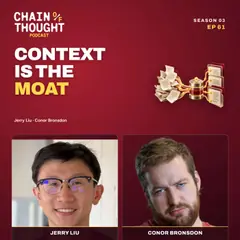
In episode 61 at 18:13, LlamaIndex’s Jerry Liu notes there are “25 plus years of document OCR tools” whose whole job was converting PDFs into text, and says legacy OCR “was not actually doing a good job at reading information out of these pages” (1:56). In his view, AI models with stronger visual understanding are now making document parsing much more accurate. He describes the usual next steps at 26:46: convert the document to Markdown, split it into chunks, embed them and store them for retrieval. That is the front end of many retrieval-augmented generation systems. Episode 61 has no sponsor read.
Why it matters (editorial synthesis): a lot of business knowledge is locked in scans and PDFs, and an AI assistant can’t reason over text it never received. OCR errors flow downstream silently: a misread digit in an invoice total or a table read in the wrong order produces a confident but wrong answer later. Spot-check OCR output on your hardest documents before trusting a pipeline built on it. Pulling specific fields out of documents and routing them into business systems is intelligent document processing, which builds on OCR.
Hear it from the guest
“Was not actually doing a good job at reading information out of these pages”
“There's like 25 plus years of document OCR tools that their entire job was to convert PDFs to like markdown or some sort of text.”
Quotes lightly edited to remove filler words.
Sources
- Smith: An Overview of the Tesseract OCR Engine — Google Research paper describing the open-source Tesseract engine's classic pipeline: finding lines and words on the page, then recognizing characters with an adaptive classifier; checked October 24, 2026.
- Li et al.: TrOCR: Transformer-based Optical Character Recognition with Pre-trained Models — Microsoft paper replacing the older CNN-plus-language-model OCR stack with an end-to-end transformer that reads text images directly into text; checked October 24, 2026.
Go deeper
- Tesseract OCR documentation docs
Install and run the open-source Tesseract engine to see what classic OCR produces from a scan.